Stream Voice — your viewers hear the mask voice, too

TamagoEggs
2d ago
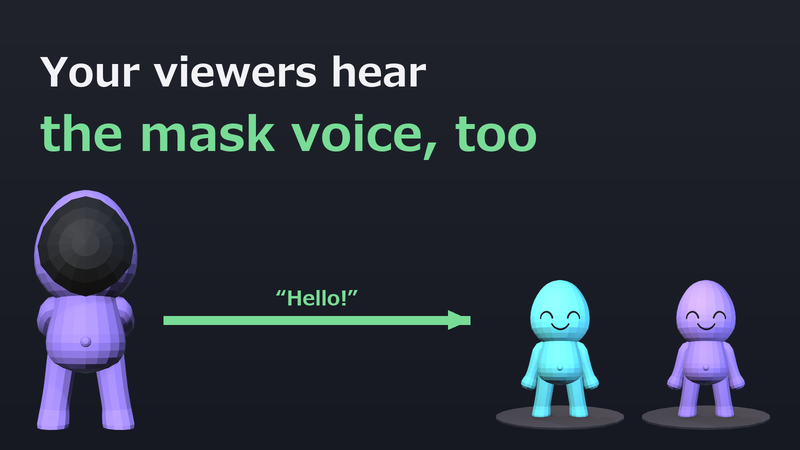
In this game the GM puts on a mask and their voice changes. Everyone playing with them hears that changed voice. But when you stream a game that has a voice changer, your viewers only ever hear your own voice — even though the changed voice is what everyone in the game is hearing. In this game the GM is usually the streamer, so left alone that would be a real problem.
The voice only changes when it goes through the game. Your streaming software captures your mic and the game audio, and the mic never passes through the game. That is why only your viewers hear your own voice.
Here is our fix
The game can now send the processed voice straight to your streaming software, so your viewers hear the same voice as the players in the game. We call this Stream Voice . It is not fed back into your headphones , so you will not hear yourself a beat late while you talk.
No extra hardware, no drivers. All you add to your streaming software is one Browser source.
How to use Stream Voice
(In-game item names are written exactly as they appear on screen.)
On the title screen, open For Streamers & Creators Read the notes and go to I want viewers to hear the mask voice too Turn on OBS Browser source (for streaming) — an address appears on screen In OBS, click + under Sources → Browser → paste that address. Width and height can be small Tick Control audio via OBS A Browser channel appears in the Audio Mixer. Talk, and you should see the meter move Remove your own mic from OBS (if it stays, your viewers hear your own voice on top)
Keep capturing the game audio with Desktop Audio as usual. Everything stays inside your own PC. If a firewall prompt appears, allow it.
If you edit your footage
You can also save the mask voice alone as a WAV. It starts with a short sync beep, and the same beep is played through the game audio, so you only have to line up the waveforms in your editor. You can also record the Browser channel on its own track from the OBS mixer.
Notes
- There is a small delay between the video and the voice. Use the sync beep above when you edit. - If you already use an external voice changer, the mask voice is layered on top of that voice.
About streaming and videos
Videos and streams are free to make. All the music is royalty-free, and there are no spoiler restrictions. The same notes are in the game, under For Streamers & Creators.
Add it to your wishlist and you will hear from us when it launches.
This announcement was originally published by TamagoEggs on Steam on Sep 15, 2026.
Open the original on Steam